Annie
A local-first, browser-based tool to explore, inspect, and validate a video annotation dataset alongside its frame-wise annotations. The motivating datasets are CMU-MOSEI and First Impression V2 (face detections and derived face tracks), but Annie is dataset-agnostic.
Contents
Highlights
Convert tab — re-encode an audio/video dataset to a consistent, torchcodec-validated form (uniform audio, constant-frame-rate H.264) with a live batch-progress readout.
Dataset tab — build a dataset from an ordered set of data sources (videos folder, vdet/track folders, and any number of label/protagonist CSVs); each source scans in place — no Scan button — with live counts and per-source availability.
Browse tab — a scrollable, one-row-per-video visualizer with a filter bar: thumbnail, five-frame strip, on-the-fly annotated render, and label tags. It is a read-only viewer; clicking a row selects it (a check tick) for the Annotator rather than recording supervision.
Annotator tab — the supervision surface, offering only the tasks whose sources are present: Protagonist review (correct the active track), Curation (like/dislike/note), and Segment review (accept/drop per-clip segments of long videos, comparing competing start/end bands, exported as two files). See the Playbooks.
Settings tab — row height, render-cache controls, and review-status export/import.
See the Playbooks for screen-by-screen walkthroughs of the main flows.
Screenshots
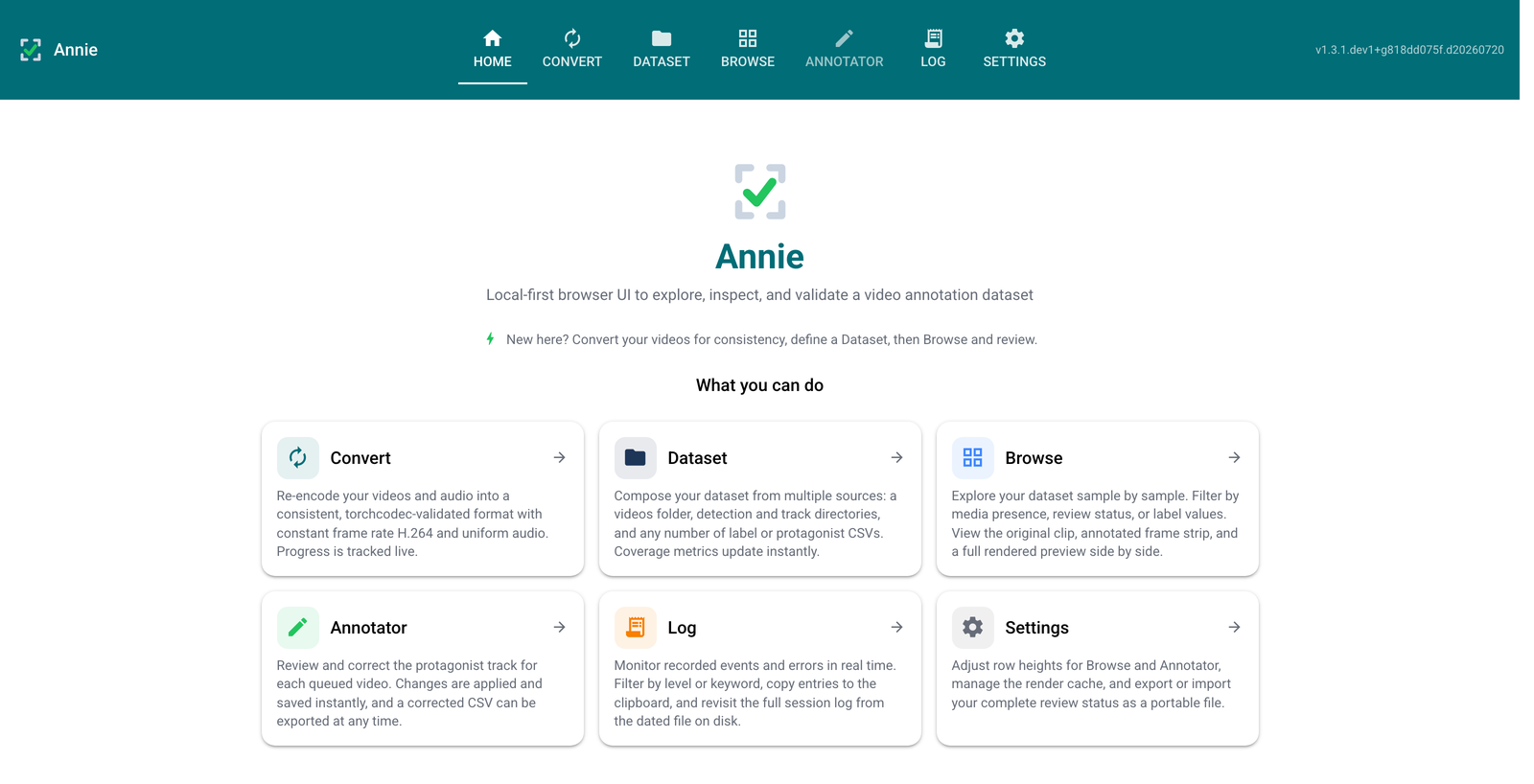
Home tab — landing page with a summary card for each tab.
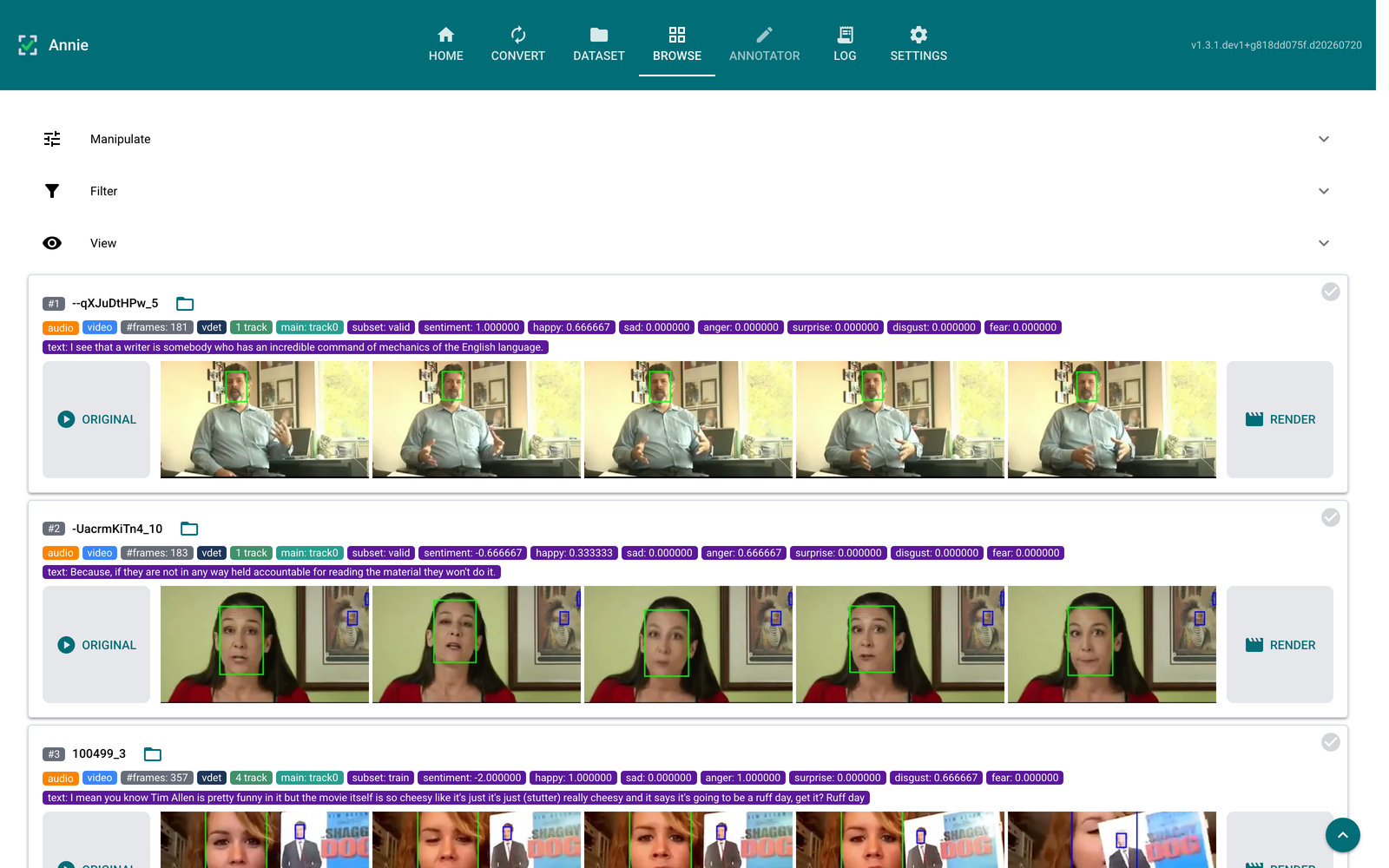
Browse tab — per-video rows with original clip, annotated frame strip, and label tags, above collapsible Manipulate / Filter / View panels. Click a row’s top-right corner to queue it for the Annotator.
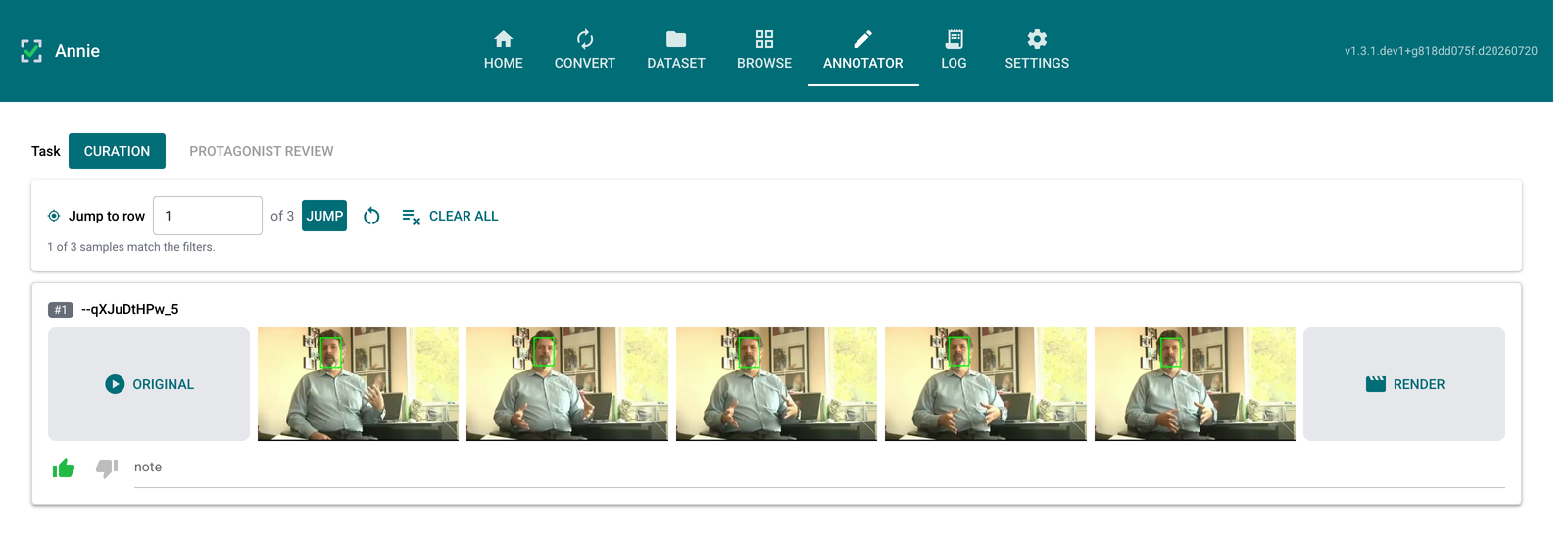
Annotator tab — where supervision is entered, one task at a time. The task switch offers only the tasks your sources support: Curation (shown), Protagonist review, and Segment review.
Architecture
Annie is a single process with a strict layered architecture; each layer calls only the layer directly beneath it:
UI layer          annie/app.py, annie/pages/*          (NiceGUI tabs)
   │  calls down only
Service layer     annie/dataset/*, annie/media/*        (scanning, rendering, filtering, …)
   │
Domain layer      annie/core/models.py, annie/parsers/* (pure data, no I/O frameworks)
   │
Infrastructure    annie/core/config.py, annie/core/theme.py,
                  annie/dataset/storage.py (SQLite), annie/media/decode.py (torchcodec)
The UI never imports sqlite3 or torchcodec directly — it calls a service
function. This is what keeps the pieces swappable.
Installation
uv pip install annie            # core: scanning, parsing, matching, storage, UI
uv pip install "annie[all]"     # + torch / torchcodec for frame decode & render
The media extra (pulled in by all) also requires a system FFmpeg
(versions 4–8), which backs both the decoder and the render pipeline. To run
without installing Python, uv, or FFmpeg on the host, use the Docker image — see
the README for the compose setup and
how dataset directories and persistent state are mounted.
Quick start
export ANNIE_VIDEO_DIR=/path/to/video
export ANNIE_VDET_DIR=/path/to/vdet
export ANNIE_TRACK_DIR=/path/to/track
export ANNIE_PROTAGONIST_CSV=/path/to/protagonist_track_heuristic.csv
export ANNIE_LABEL_CSV=/path/to/label.csv
annie                             # opens http://127.0.0.1:8080
Every setting has a matching ANNIE_* variable (see annie.core.config);
sources seeded this way are session-only, while curation and corrections always
persist. Saved configs, session databases, logs, and render/export files live
under ANNIE_HOME (~/.annie by default).
Data model
Videos and annotations are matched by stem (filename minus extension), with exact-stem and prefix matching, resolved longest-stem-first.
A
.vdetholds all raw detections (possibly several faces per frame); a__track{N}.csvfollows one face across frames.Each video is aggregated into one Browse row carrying its
.vdetand all of its tracks — not a per-file fan-out.The active “protagonist” track resolves manual ▸ source ▸ -1; manual corrections are written to
participant_face_track_heuristic_manual.csvand never overwrite the pristine heuristic file.
Development
git clone https://github.com/fodorad/Annie
cd Annie
uv pip install -e ".[all,dev,docs]"
make check   # lint + type-check + test + docs
Contact
Ádám Fodor — adamfodor.com · fodorad201@gmail.com